City
Menu
Are you looking to boost your ad/profile on PrettyBabeNetwork with the help of paid advertising? Here's a step-by-step guide for paid advertising.
First Create Your Profile
Login – The first step includes logging in or signing up. You may log in or sign up as an individual user or an agency. Given below is a detailed overview with images.
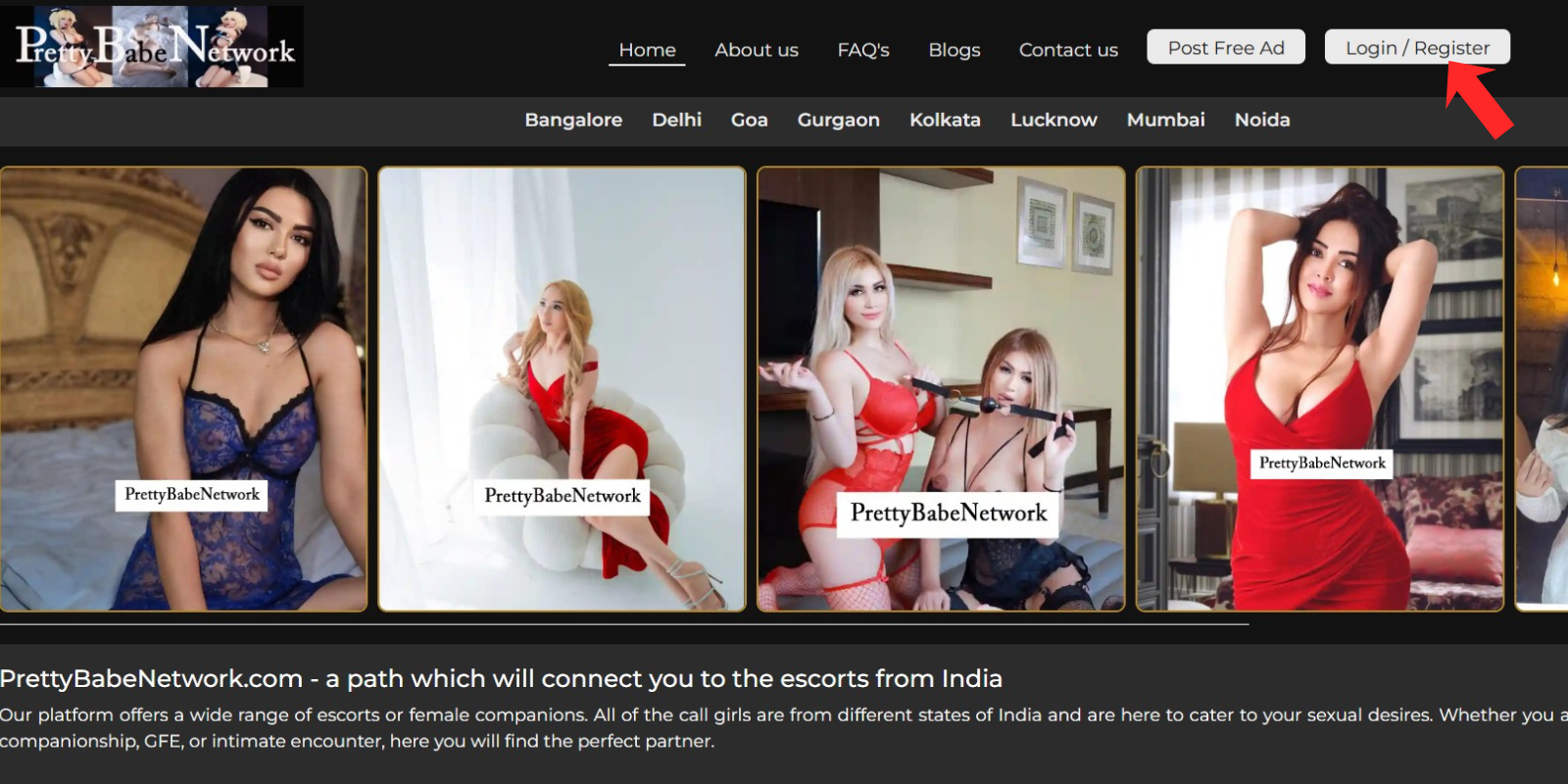
The image shows that if you're already a user of this website, you can directly log in, but if you want to create a new account (individual or agency), click on the Register Now button.
.png)
The image clearly shows how to sign up as an individual user.
.png)
The image clearly shows how to sign up as an agency.
.png)
Create your profile – Once you log in or sign up, you will be redirected to your user dashboard, where you can see the option to create a profile/ad. Fill up all the necessary details regarding your ad and click on the submit button. Wait for a while to get your ad approved by the site administrator. Given below is a detailed take down of this whole process.
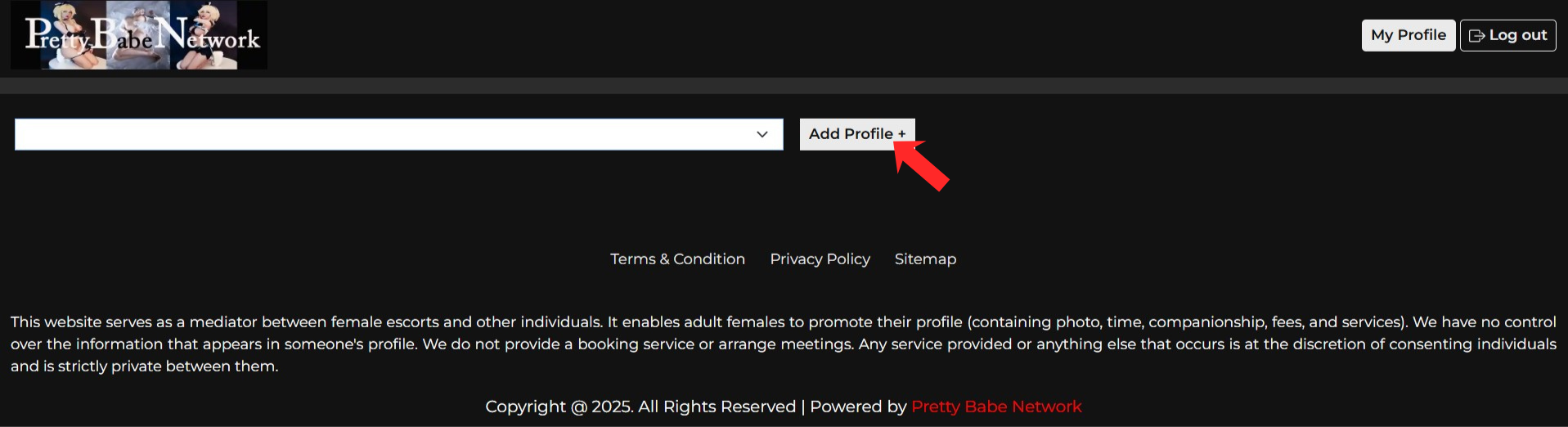
The image is an example of how the blank profile creation page looks. The user needs to fill in every detail on this page.
.png)
The image is an example of how the profile creation page looks with all the details of the companion.
.png)
The image shows that once the user has created an ad, they have to wait for the admin's approval.
.png)
The image is an example of an email sent by the administrator regarding the approval of the user's ad.
.png)
The image is an example of how the profile will appear on the website after approval.
.png)
Now the Next Step is to Make Your Profile Paid
Connect with the admin – Once your profile is approved and is visible on the website, you can connect with the site administrator via info@prettybabenetwork.com to discuss further about your paid advertising. While connecting, don't forget to mention the name or URL of the ad in the email that you want to select for paid advertising.
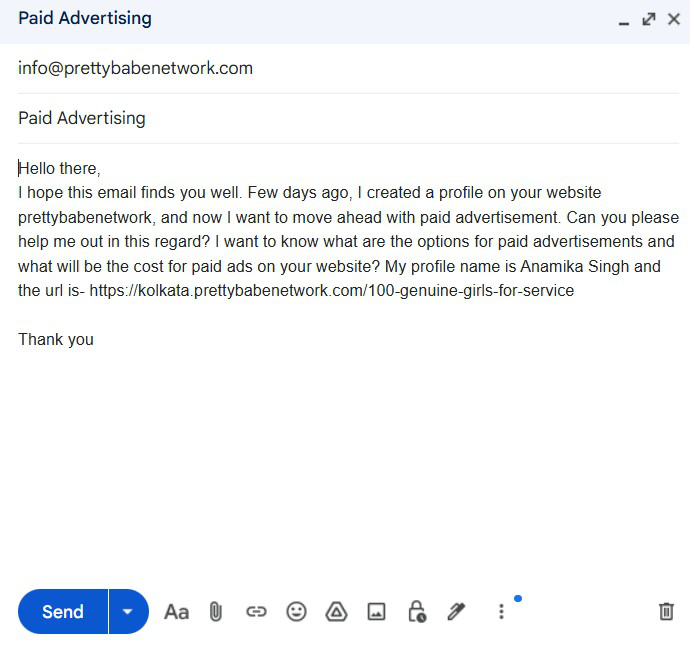
Paid advertising options – At prettybabenetwork, we have mainly four options for paid advertising that are featured ads, exclusive ads, premium ads, and approved ads. There's an additional advertising option called sticky ads, which will make your profile stick for a month at the top of the ad category you've chosen while placing a paid advertisement, and you've to pay an additional amount of ₹ 2,000 to use this feature. Please note that paid ads will only run for a month; after that, you've to renew your subscription.
Featured ads appear in the top section of the website, and the cost for a single ad in this category is ₹5,000 per month.
.png)
Exclusive ads appear in the middle left section of the website, and the cost for a single ad in this category is ₹4,000 per month.
.png)
Premium ads appear before approved ads, and the cost for a single ad in this category is ₹3,000 per month.
.png)
Approved ads appear after premium ads below on the website, and the cost for a single ad in this category is ₹2,000 per month.
.png)
When you opt for the sticky ads feature by paying an extra amount of ₹2,000, your ad will stick at the top of your chosen ad category for a month, no matter whether it's featured, exclusive, premium, or approved, and no other ads can replace it during the time frame. Please note that this feature isn't available on the users' dashboard; only the site administrator has this feature. If you want to make your ad sticky, kindly connect with the admin via email.